Redhat Satellite
Installation and Configuration Redhat Satellite
Date : 17.08.2016
Document Version : 1.0
Table of Contents1.1 - Red Hat Satellite system specifications3
1.2 Things which have done before installing satellite4
1.3 Installing and configuring red hat satellite 6.15
3 LOGIN IN TO RED HAT SATELLITE6
4. POPULATING RED HAT SATELLITE WITH CONTENT7
- 4.1. Creating a Subscription Manifest.7
- 4.2 Uploading a Subscription Manifest to Satellite.10
- 4.3. Enable Red Hat Repositories:11
- 4.4. Synchronizing Content12
- 4.5 Adding product into sync plan.13
5 CONFIGURING A SELF-REGISTERED SATELLITE16
- 5.1. Register a Satellite to Itself16
6 MANAGING HYPERVISORS AND VIRTUAL GUEST SUBSCRIPTIONS16
7. UPGRADNG RED HAT SATELLITE SERVER18
- 7.1 UPGRADING RED HAT SATELLITE SERVER FROM 6.1.7 to 6.1.918
- 7.2 UPGRADING RED HAT SATELLITE SERVER FROM 6.1.9 to 6.2.020
Template:Anchor 1.1 - Red Hat Satellite system specifications[edit]
A. 64-bit architecture
B. The latest version of Red Hat Enterprise Linux 7 Server
C. Four CPU cores.
D. 8 GB memory 4.0 GB of swap space.
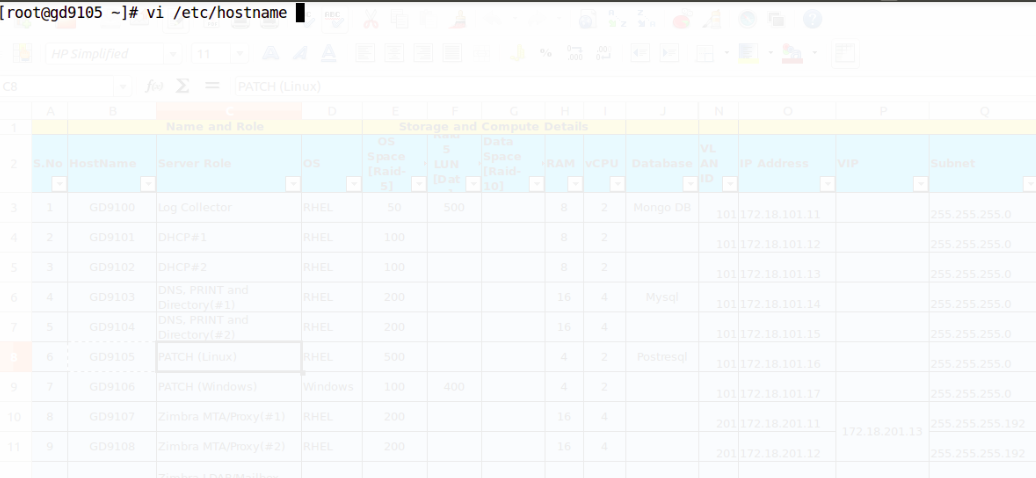
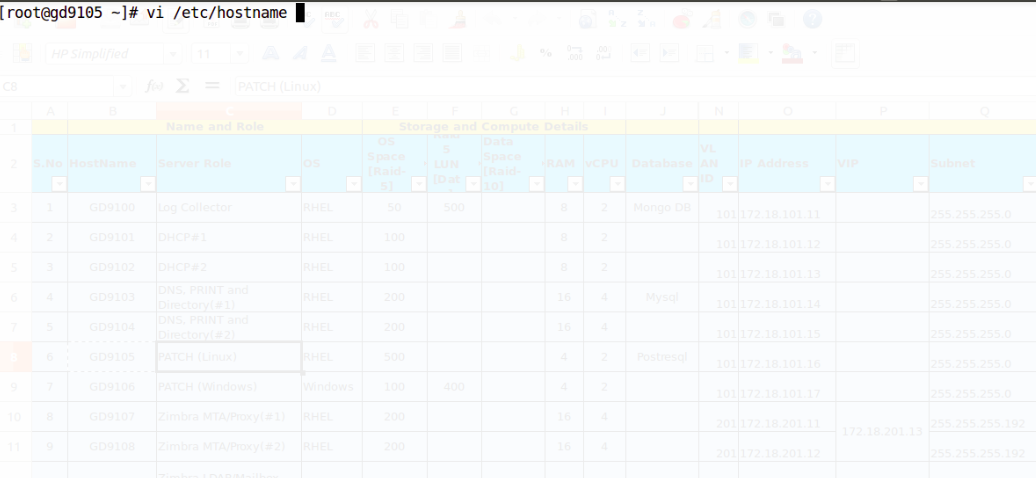
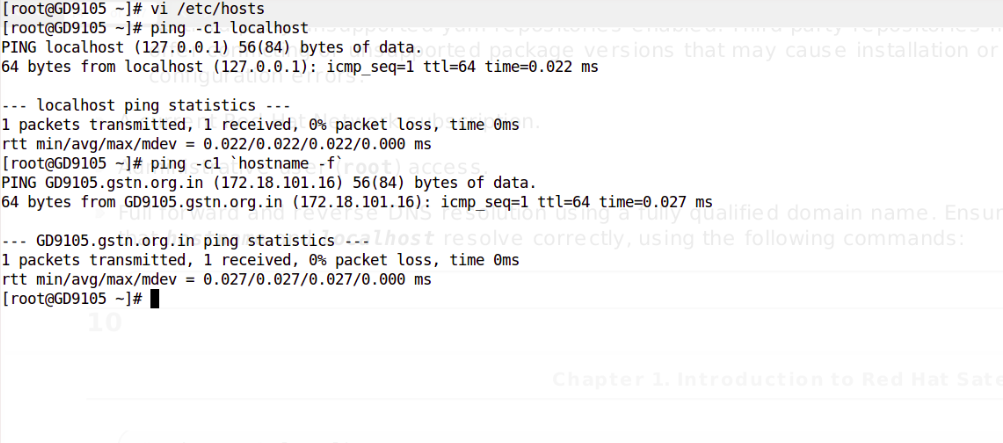
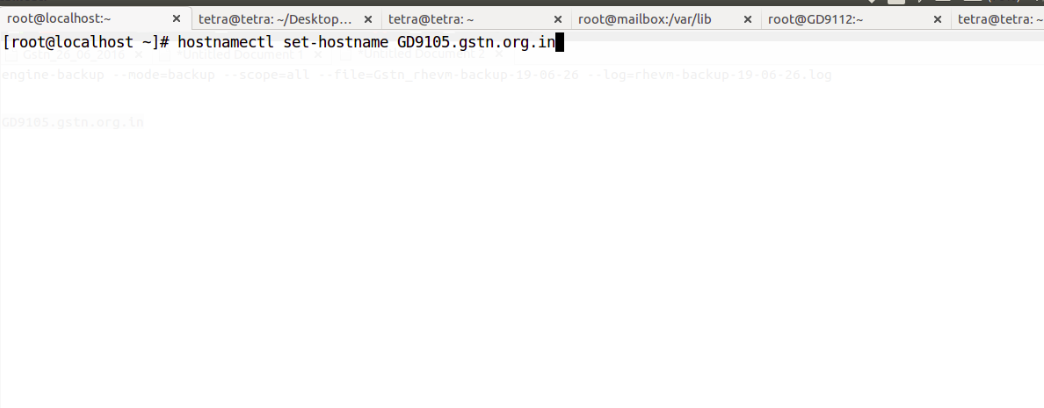
E. A unique hostname. -->> gd9105.gstn.org.in
F. Satellite Server storage specifications are as follows:
[root@gd9105 ~]# df -h
Filesystem Size Used Avail Use% Mounted on
/dev/mapper/rhel-root 93G 9.8G 78G 12% /
devtmpfs 3.9G 0 3.9G 0% /dev
tmpfs 3.9G 52K 3.9G 1% /dev/shm
tmpfs 3.9G 8.7M 3.9G 1% /run
tmpfs 3.9G 0 3.9G 0% /sys/fs/cgroup
/dev/vda1 976M 144M 766M 16% /boot
/dev/mapper/lib_vg-var_lib 393G 126G 248G 34% /var/lib
tmpfs 783M 0 783M 0% /run/user/0
A. Download the ISO image from the Red Hat Customer Portal.
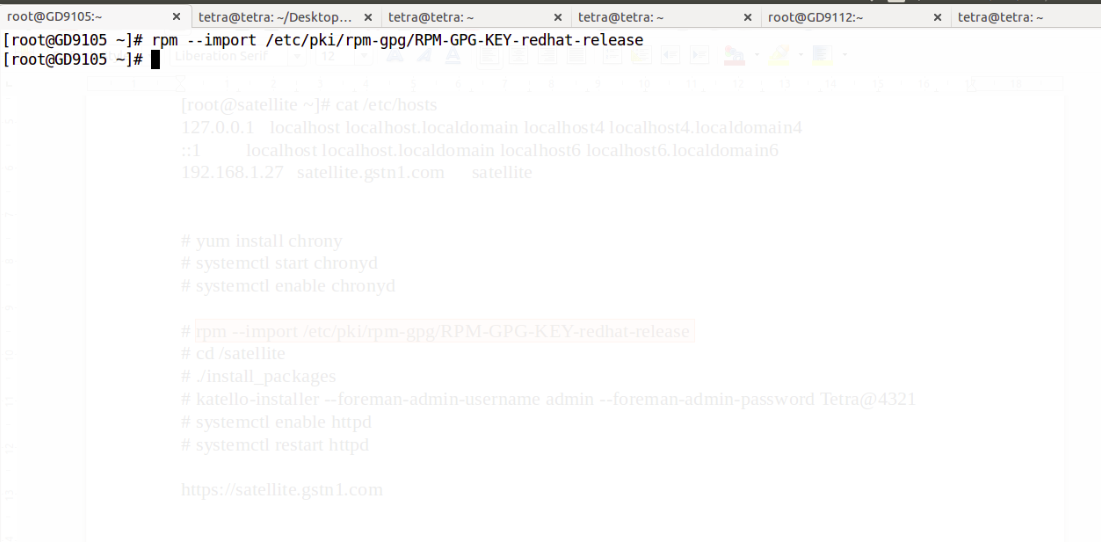
B. ISO installations require imported Red Hat GPG keys before installation. We have run the following command as root before running the installation script:
# rpm --import /etc/pki/rpm-gpg/RPM-GPG-KEY-redhat-release
# mkdir /satellite
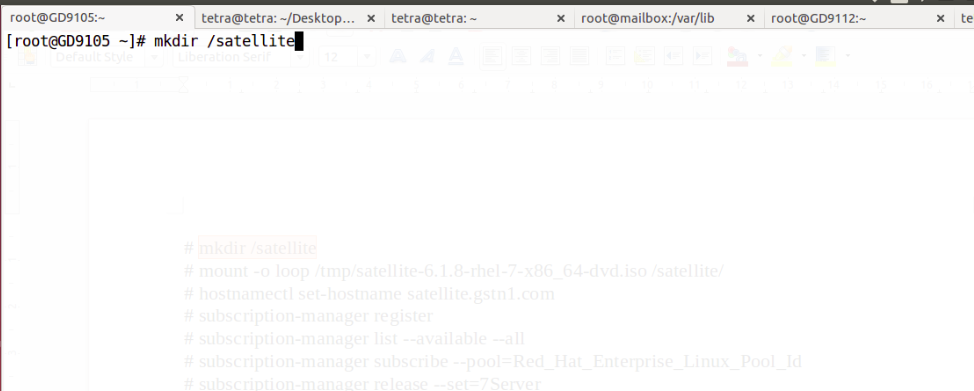
# mount -o loop satellite-6.1.8-rhel-7-x86_64-dvd.iso /satellite
Template:Anchor 1.3 Installing and configuring red hat satellite 6.1[edit]
A . Change directory by below command,
# cd /satellite
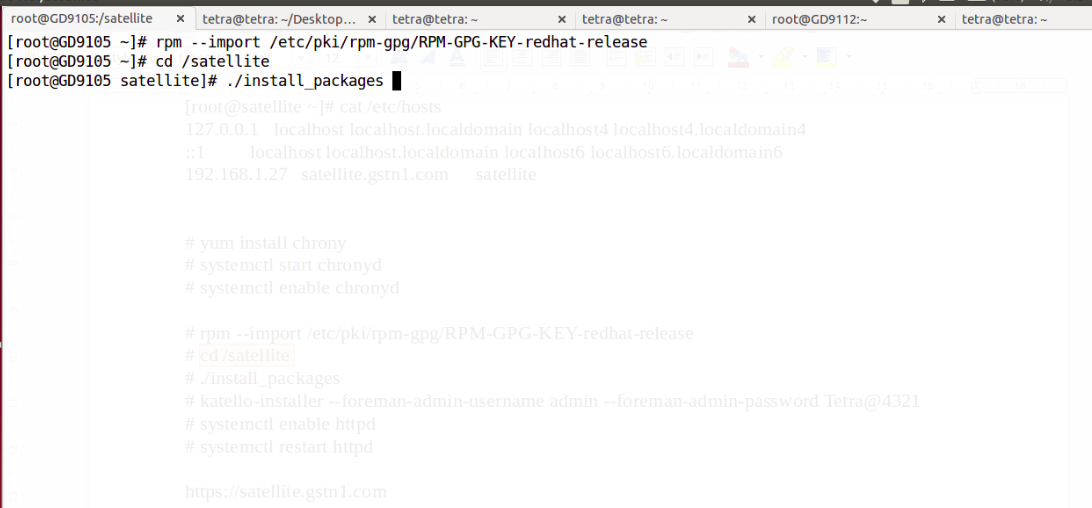
B. Run the installer script in the mounted directory:
# ./install_packages
C. Configuring Red Hat Satellite by below command,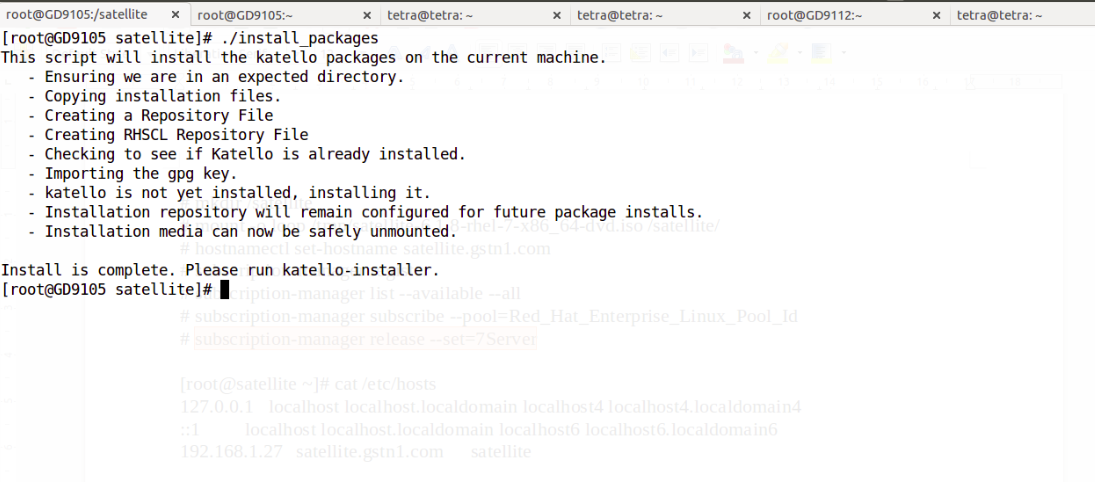
# katello-installer --foreman-initial-organization "Gstn_Delhi" --foreman-initial-location "Delhi" --foreman-admin-username admin --foreman-admin-password X########X
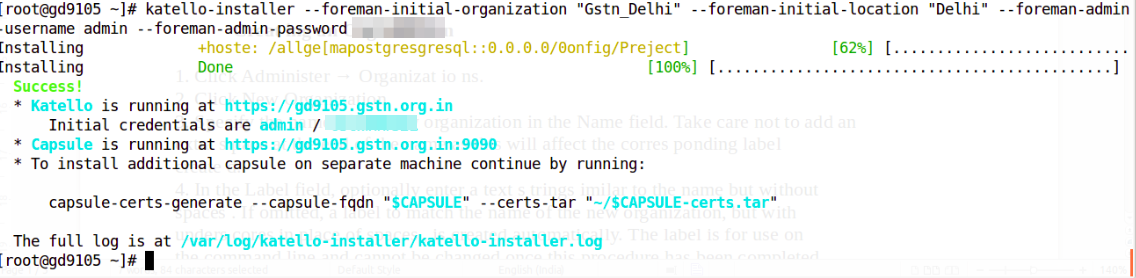
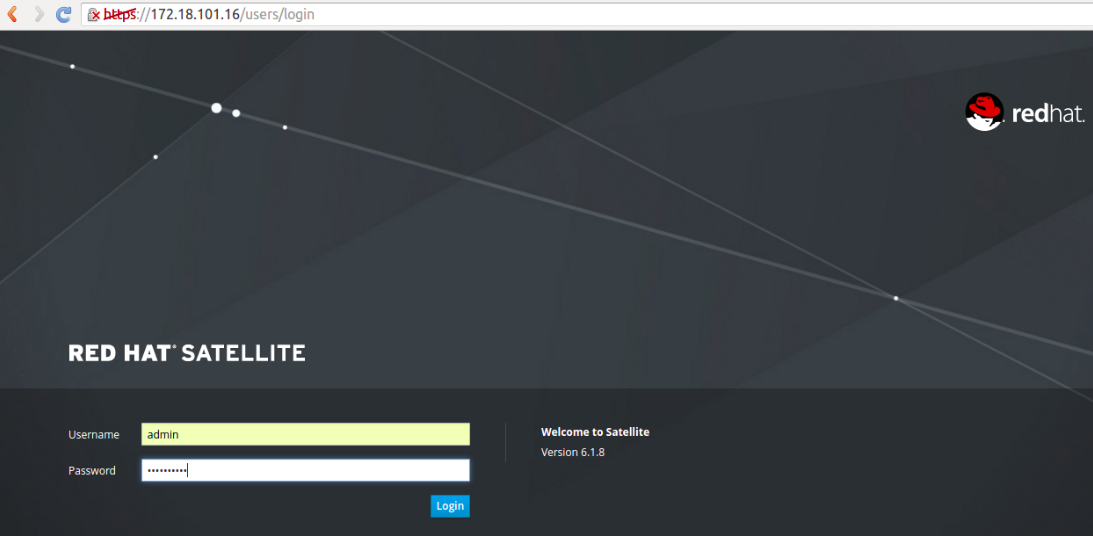
3.1 We can ccess the Satellite server web UI using a web browser using the host name, FQDN or IP.
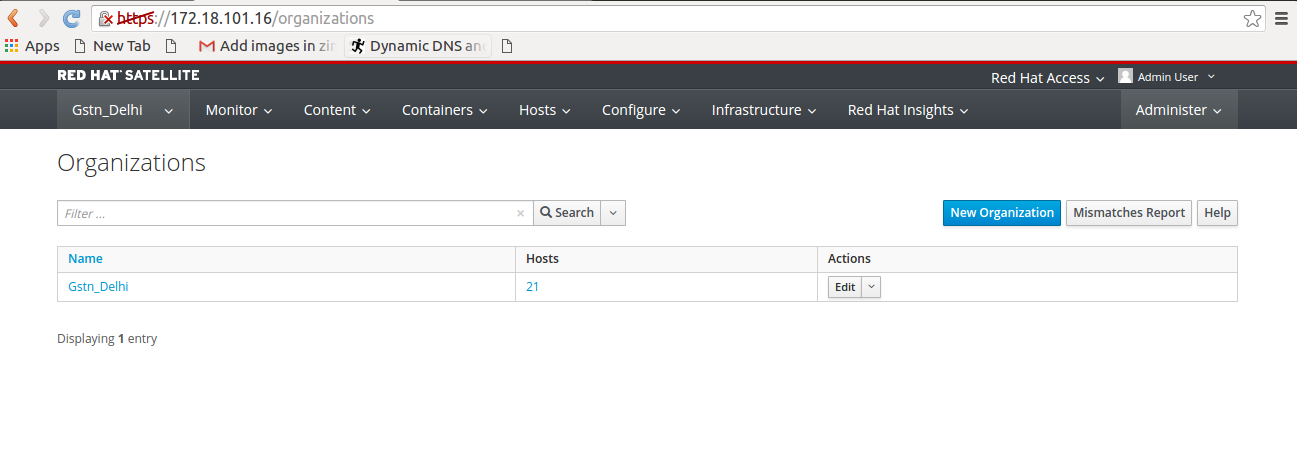
3.2 Gstn_Delhi organization is created during installation.
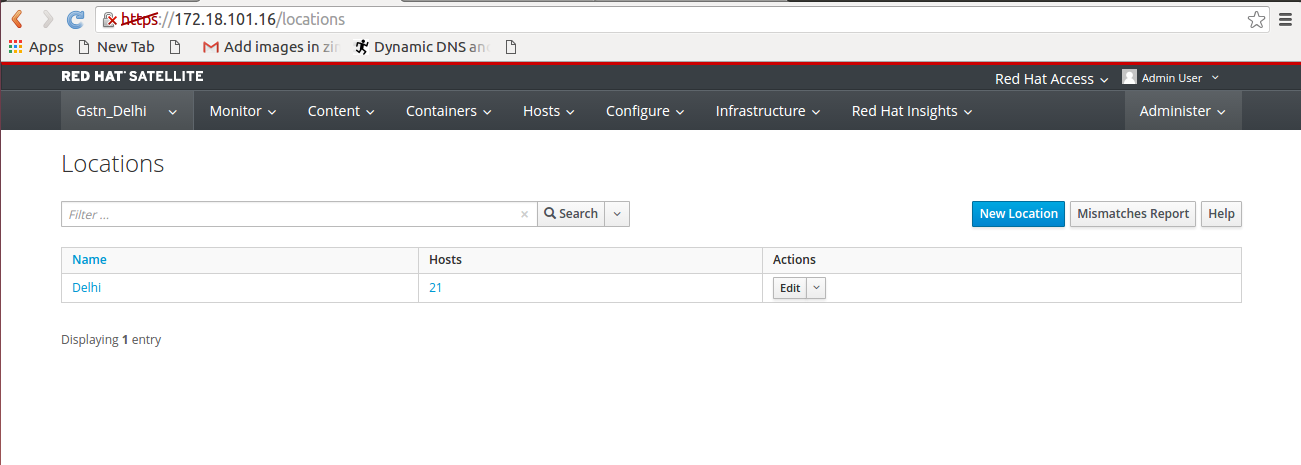
3.3 Location Delhi is also created during installation.
Template:Anchor 4. POPULATING RED HAT SATELLITE WITH CONTENT[edit]
Template:Anchor 4.1. Creating a Subscription Manifest.[edit]
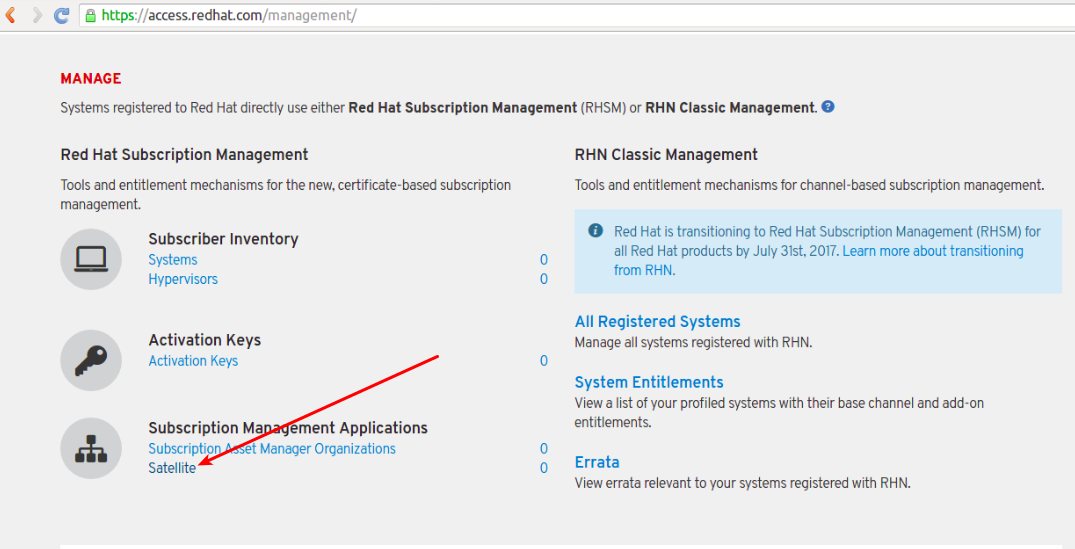
A. Navigate to https://access.redhat.com/management and click Satellite menu.
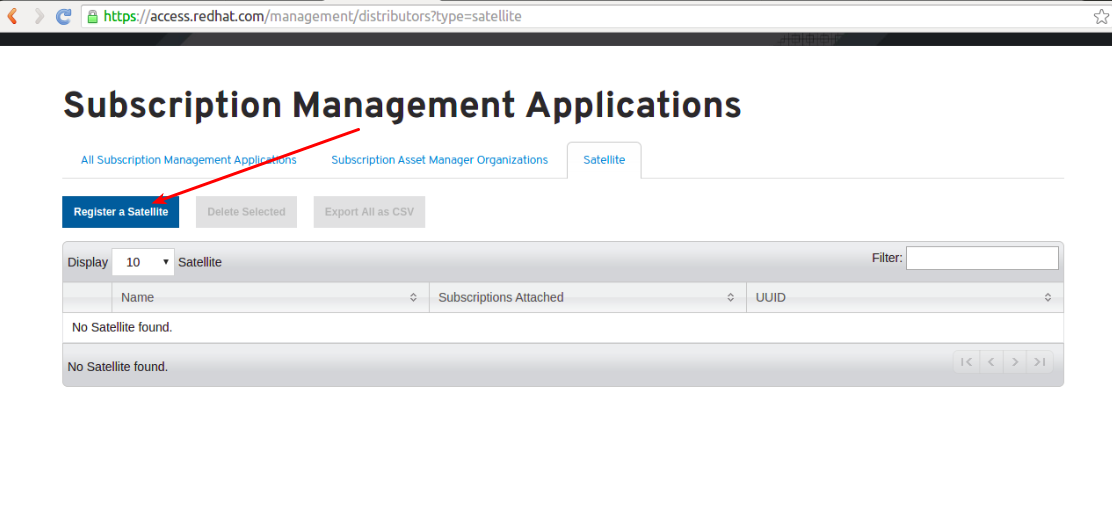
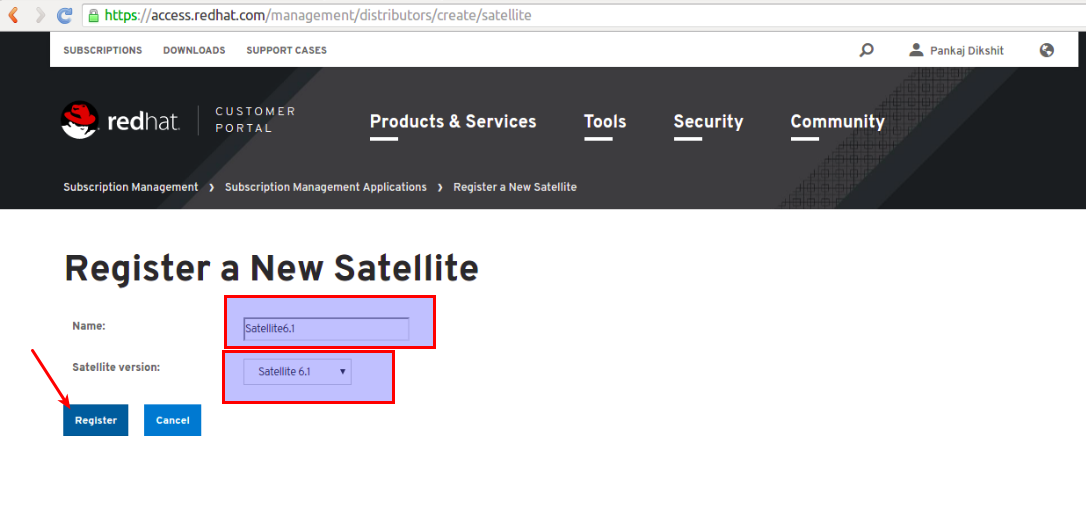
B. To create a manifest for a new system, click Register a Satellite. Select the Satellite version and Name that must match the name of the organization on your Satellite. Click Register.
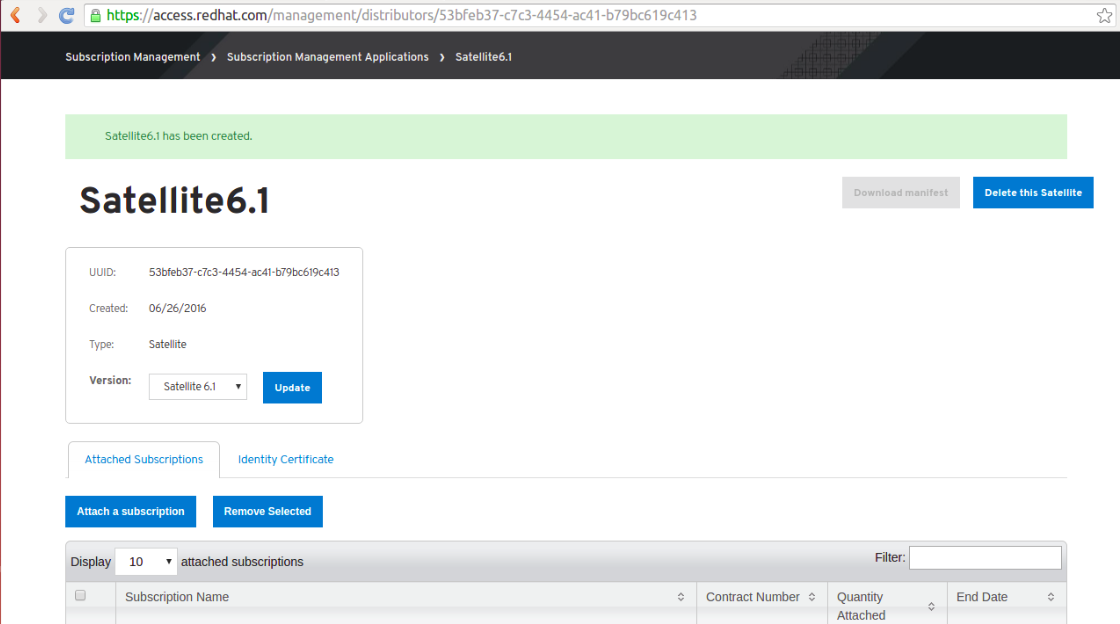
C. Attach subscription by selecting the check box for that subscription.
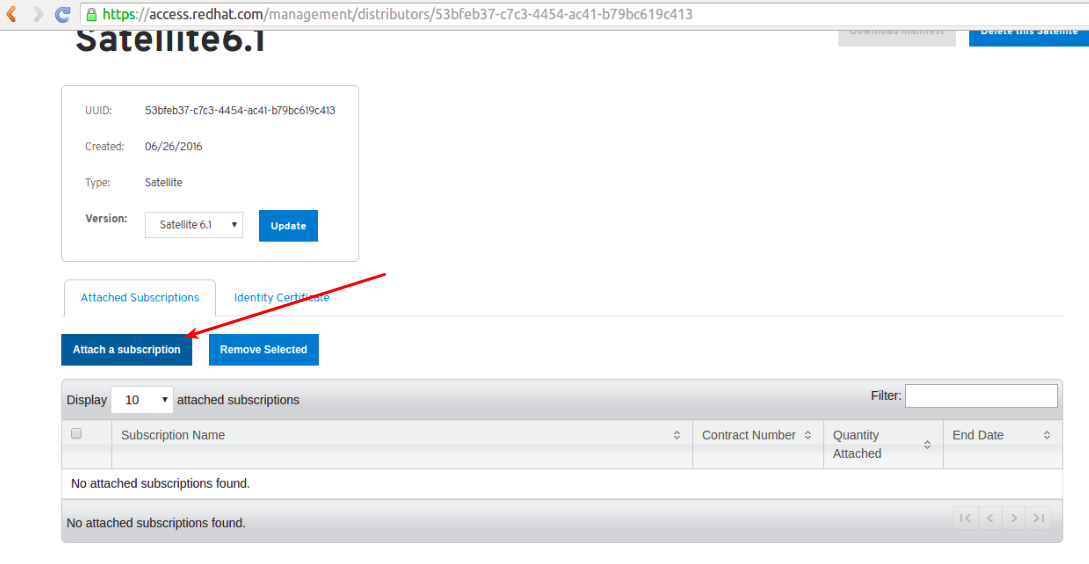
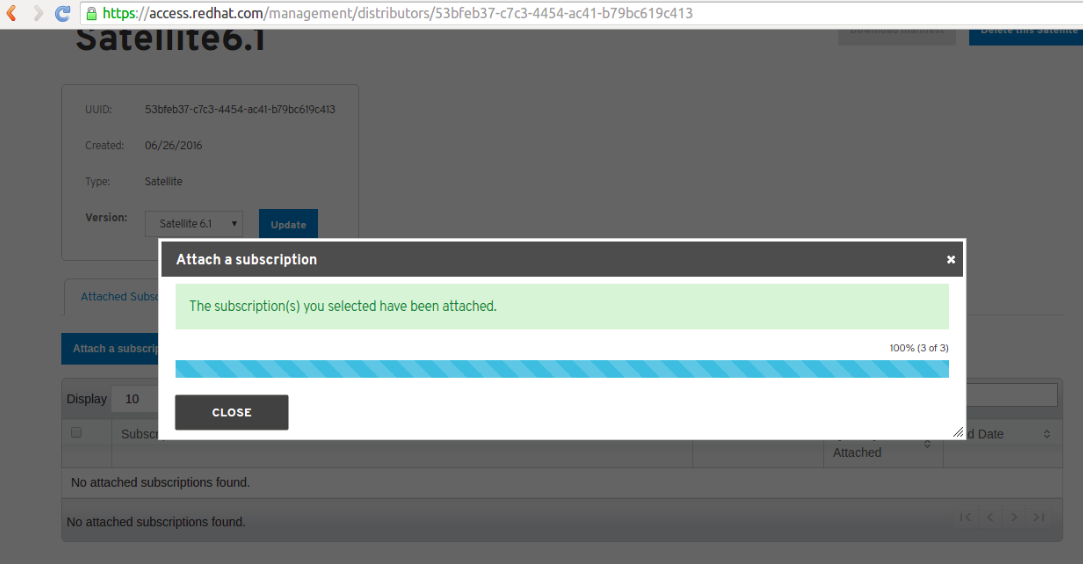
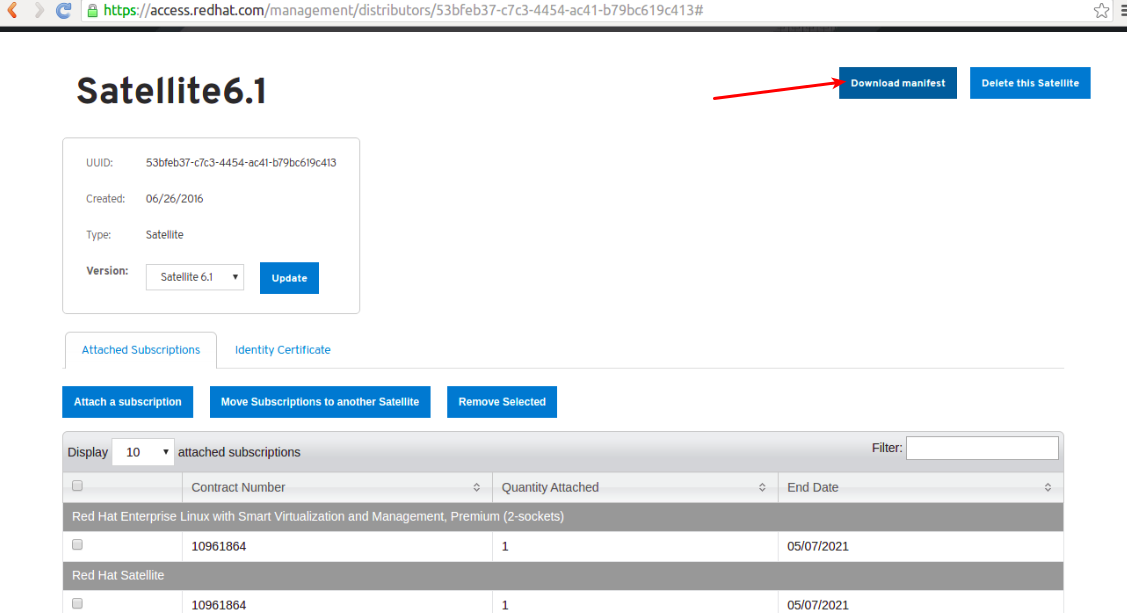
D. After the subscriptions have been attached, We clicked on download Manifest to generate an archive in .zip format containing the manifest for Red Hat Satellite.
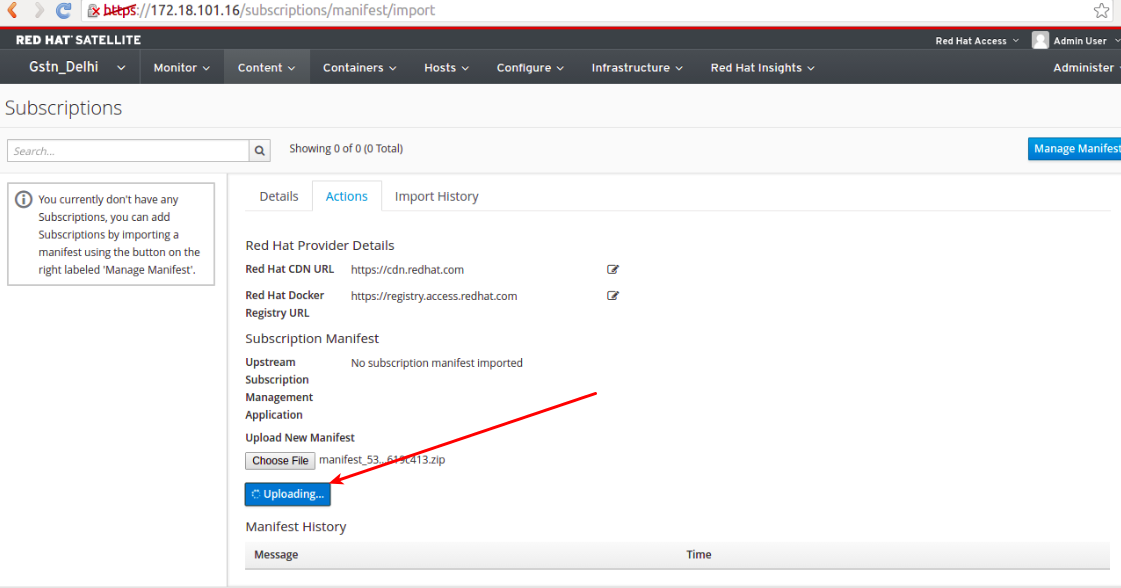
Template:Anchor 4.2 Uploading a Subscription Manifest to Satellite.[edit]
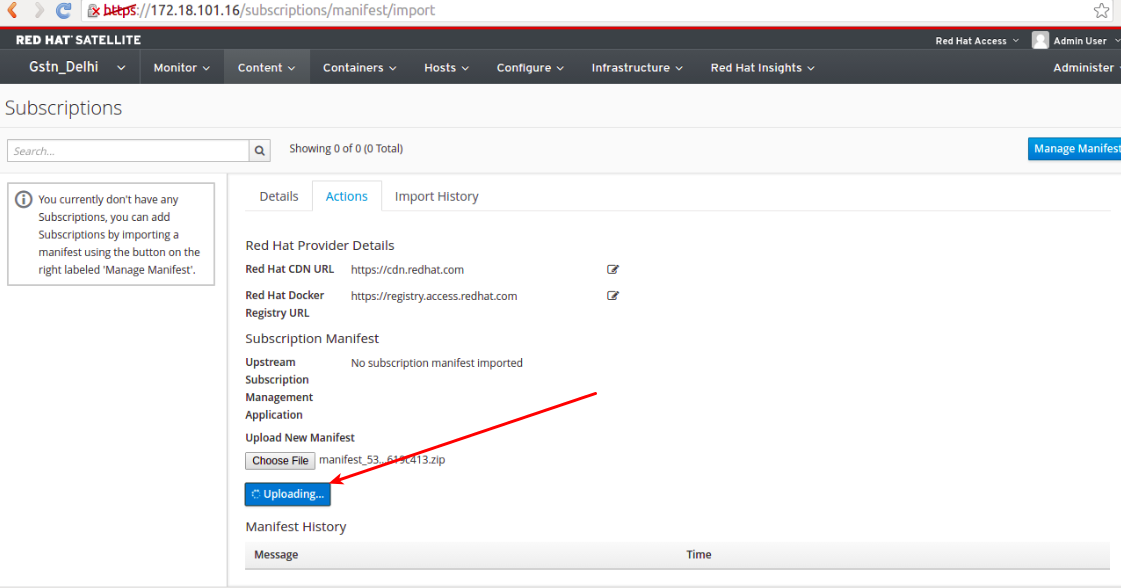
A. Log in to the Satellite server Click Content → Red Hat Subscriptions and then click Manage Manifest at the upper right of the page.
In the Subscription Manifest section, click Actions and under the Upload New Manifest subsection, click Browse. Select the manifest file to upload, and then click Upload.
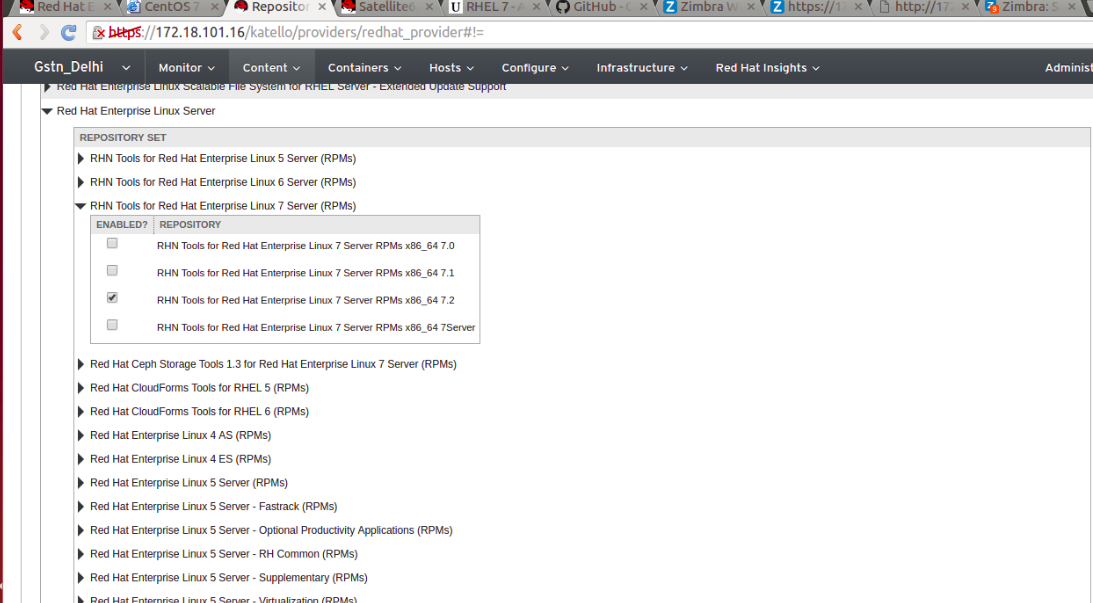
A. On the main menu, click Content → Red Hat Repositories and then click the tab for the type of content that you want to enable. Hear all required repository is already enabled.
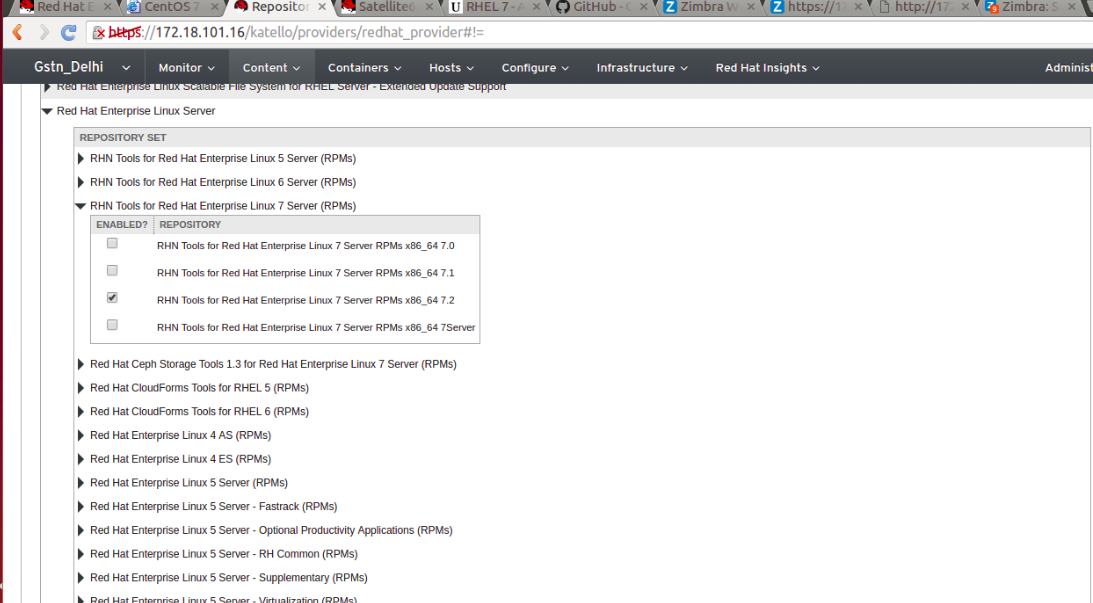
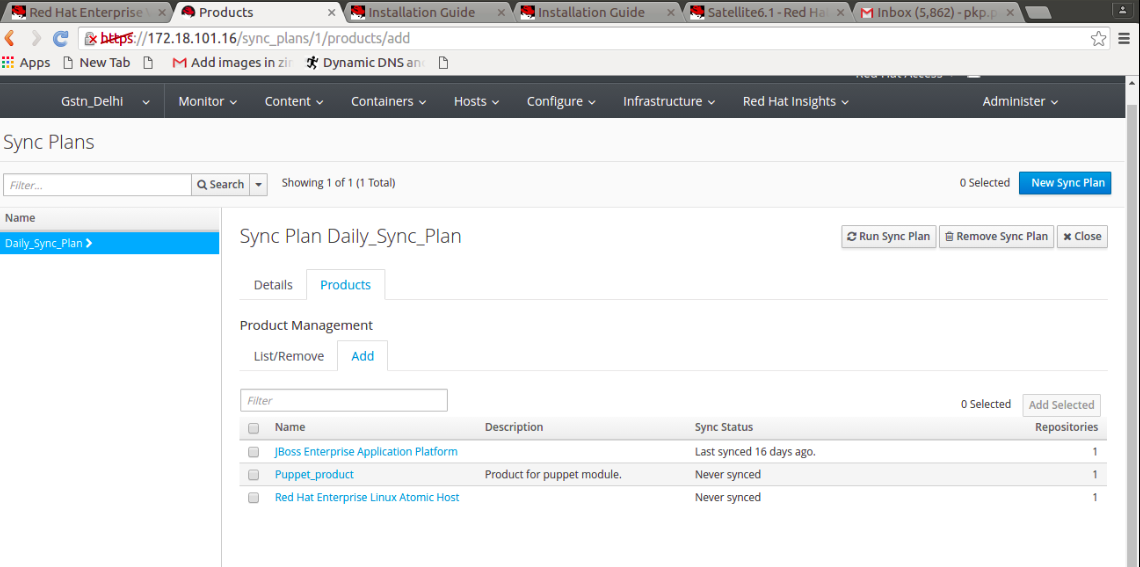
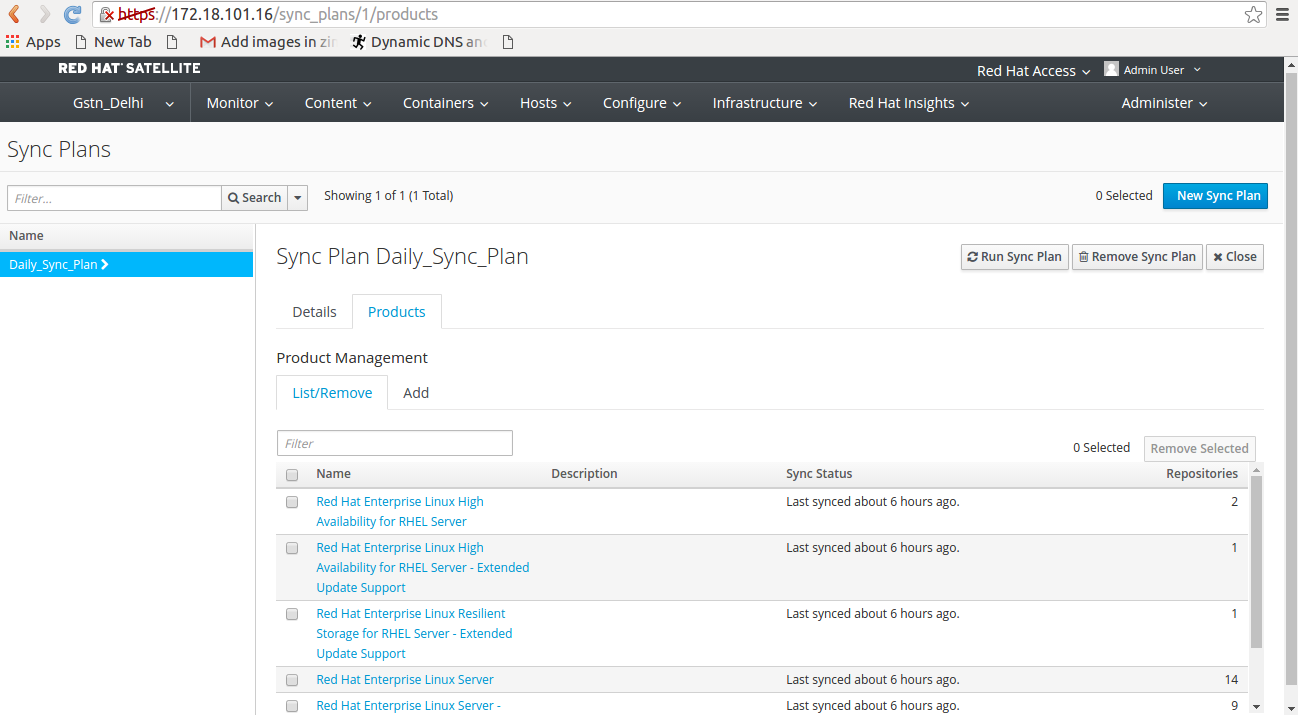
Synchronization is the act of coordinating updates between the Red Hat Satellite repositories and the source repositories being used. It is a required step after enabling repositories, in order to populate the Red Hat Satellite with content from the source repositories.Constant, scheduled synchronization will result in:Sync plan is configured as below,
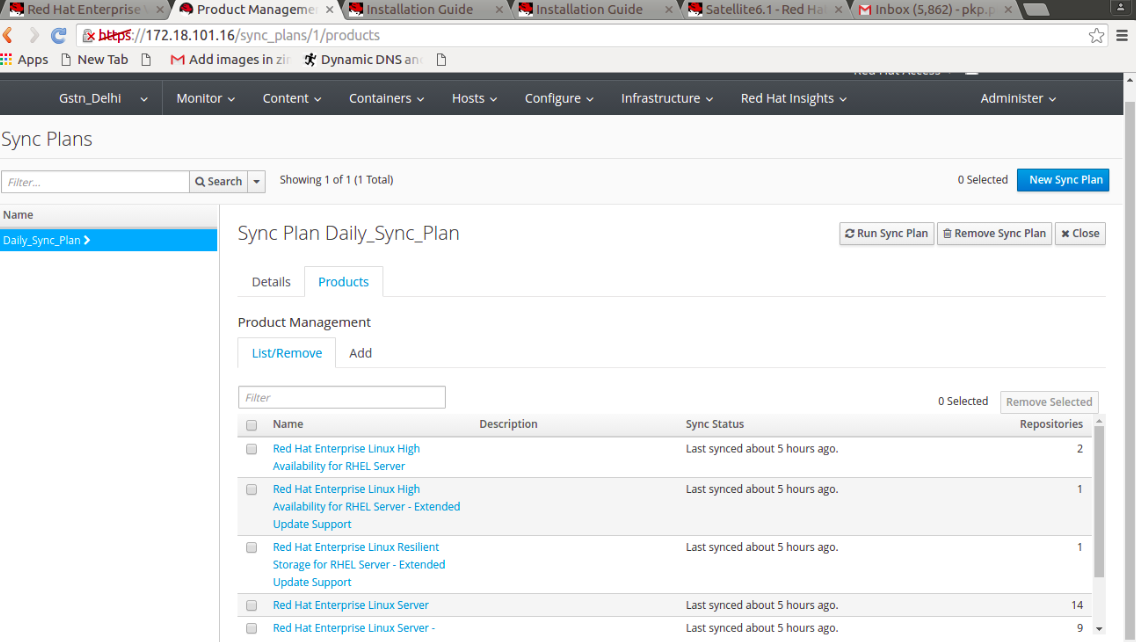
Name -->> Daily_Sync_Plan
Start -->> Date 2016/06/26 00:20:00 IST
Sync -->> Enabled Yes
Interval -->> daily
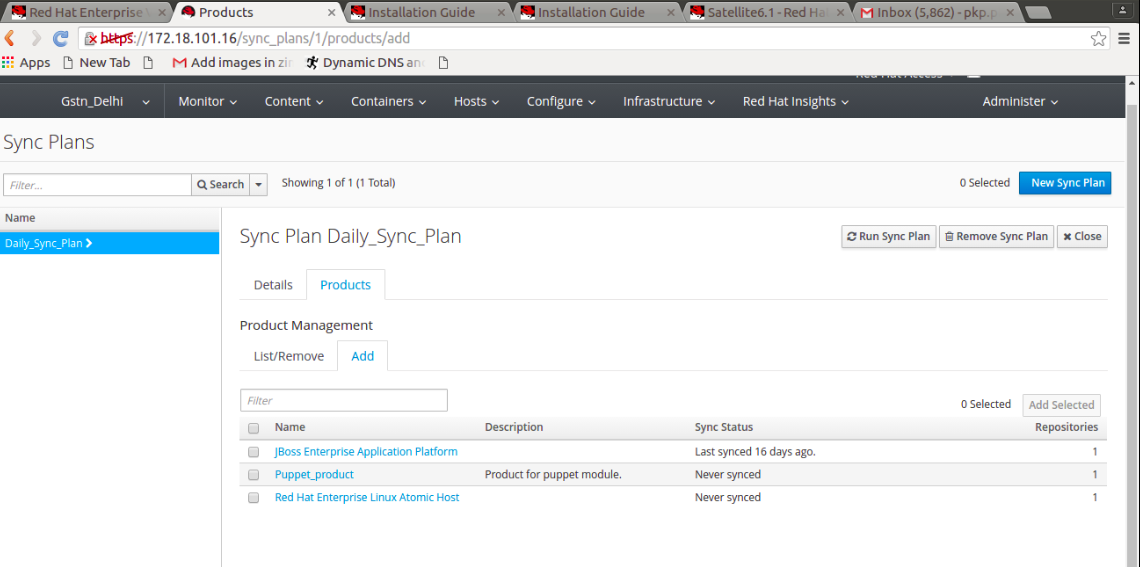
Click Content → Sync Plans --> Select Sync Plans --> Products --> add . Add the products which you want the sync.
Template:Anchor 5 CONFIGURING A SELF-REGISTERED SATELLITE[edit]
A. Login in to satellite server with privileged user and fallow below command,
# subscription-manager register --org="Gstn_Delhi" –environment="Library"
Usename=admin
password=XXXXX
# subscription-manager repos --disable rhel-7-server-satellite-tools-6.1-rpms
B. Install satellite client package (katello-agent).
# yum -y install katello-agent
Template:Anchor 6 MANAGING HYPERVISORS AND VIRTUAL GUEST SUBSCRIPTIONS[edit]
A. Install virt-who package for managing subscription.
# yum install virt-who
B. Enable virt-who service at startup.
# systemctl enable virt-who.service
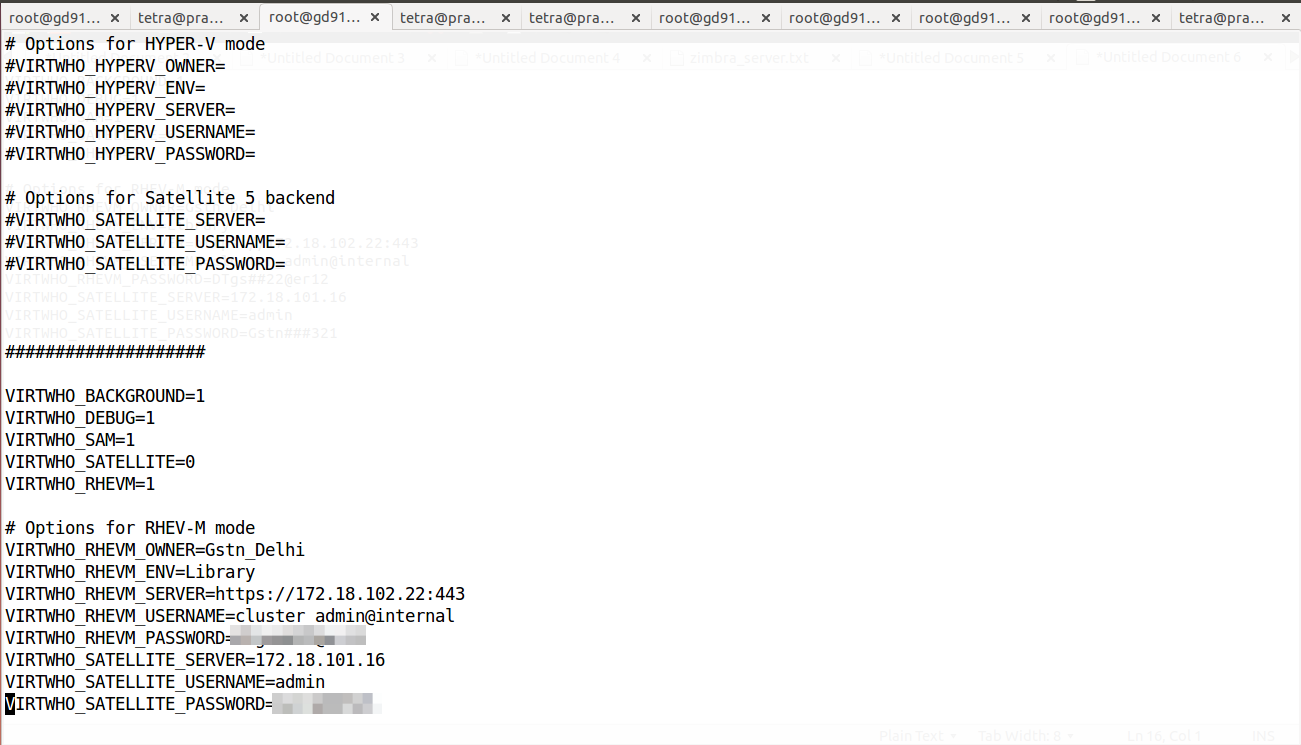
C. Edit virt-who file and make entry like below screenshot,
vi /etc/sysconfig/virt-who
D. Start virt-who service by below command,
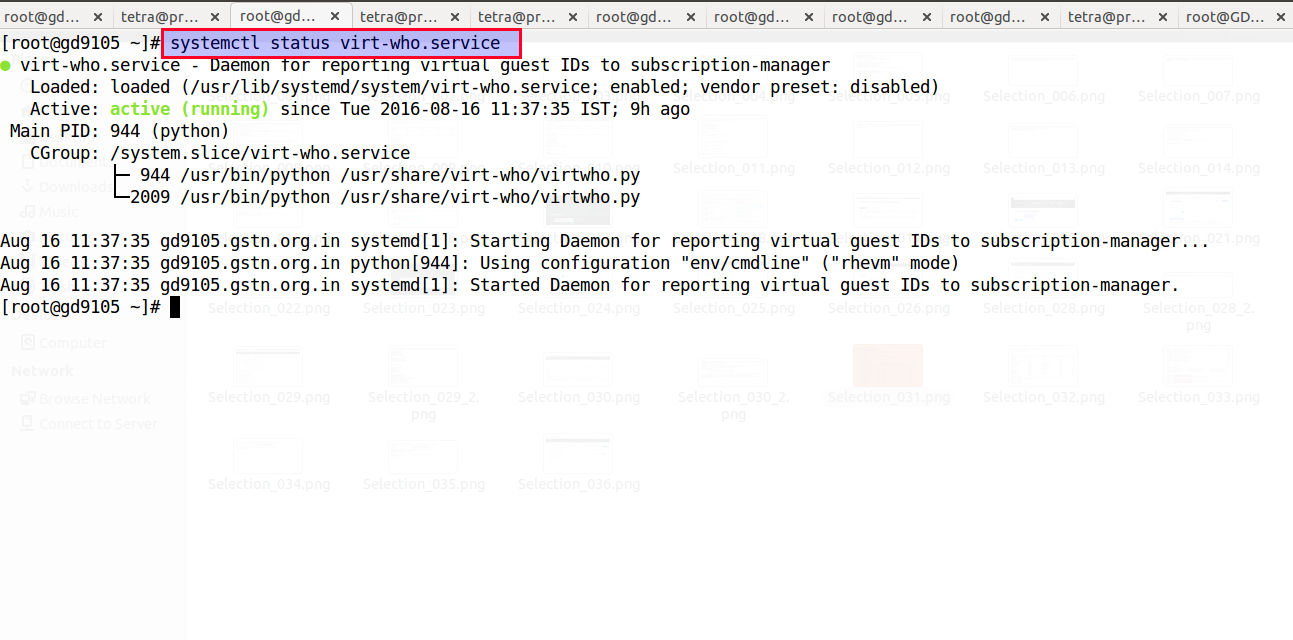
# systemctl start virt-who.service
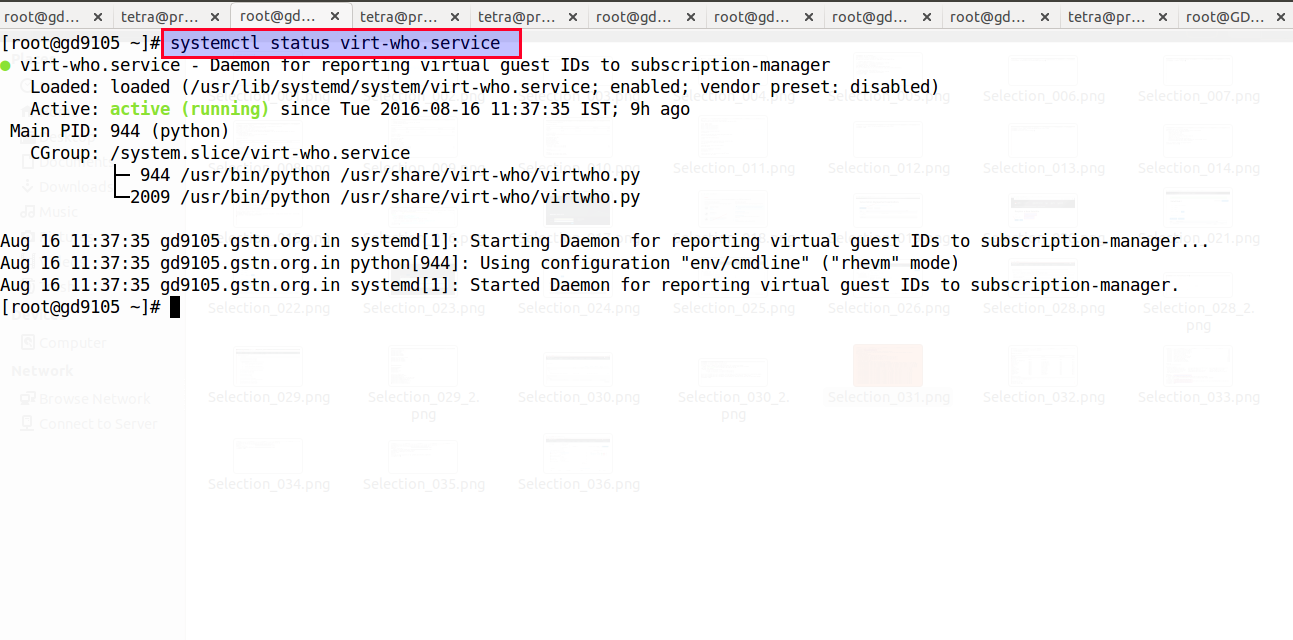
E. Check status of virt-who service by below command,
# systemctl status virt-who
Template:Anchor 7. UPGRADNG RED HAT SATELLITE SERVER[edit]
Template:Anchor 7.1 UPGRADING RED HAT SATELLITE SERVER FROM 6.1.7 to 6.1.9[edit]
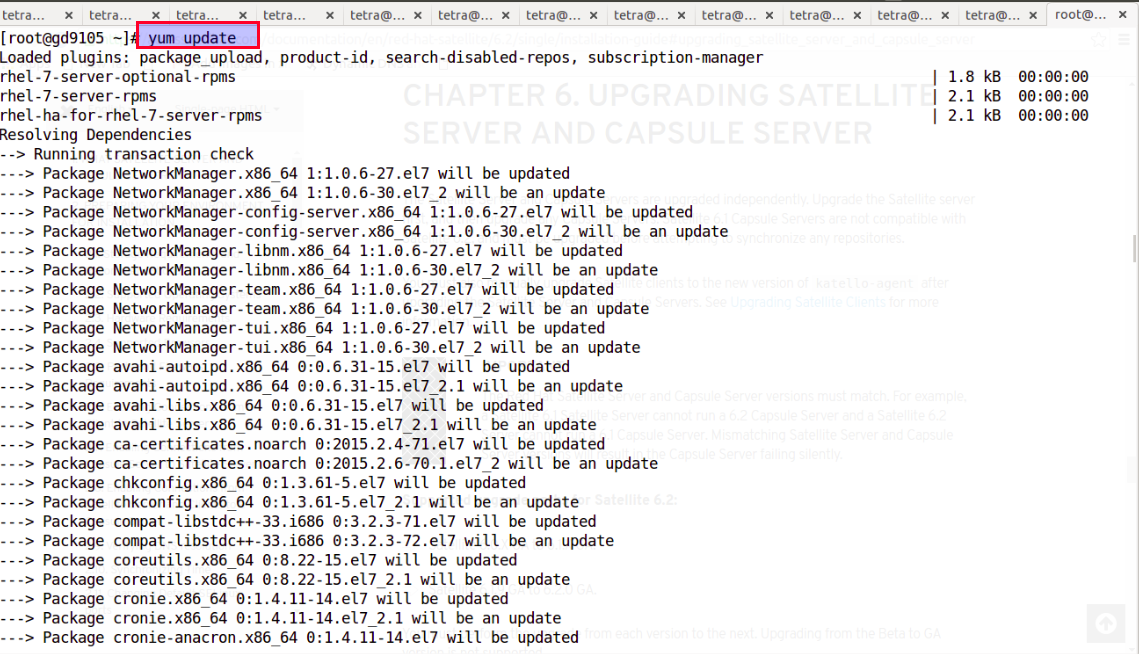
A. Update all system packages by “Yum update” command.
B. Upgrade satellite by “Katello-installer –upgrade” command.
C. Go to content > Red Hat Product > Manage Manifest and click on refresh manifest.
Template:Anchor 7.2 UPGRADING RED HAT SATELLITE SERVER FROM 6.1.9 to 6.2.0[edit]
A. Stop katello service by “katello-service stop” command,
[root@gd9105 ~]# katello-service stop
Redirecting to /bin/systemctl stop foreman-tasks.service
Redirecting to /bin/systemctl stop httpd.service
Redirecting to /bin/systemctl stop pulp_workers.service
Redirecting to /bin/systemctl stop pulp_resource_manager.service
Redirecting to /bin/systemctl stop pulp_celerybeat.service
Redirecting to /bin/systemctl stop foreman-proxy.service
Stopping elasticsearch (via systemctl): [ OK ]
Redirecting to /bin/systemctl stop tomcat.service
Redirecting to /bin/systemctl stop qdrouterd.service
Redirecting to /bin/systemctl stop qpidd.service
Redirecting to /bin/systemctl stop mongod.service
Success!
B. Download satellite 6.2 iso and mount it in /media/sat6 directory .
[root@gd9105 iso]# mount -o loop satellite-6.2.1-rhel-7-x86_64-dvd.iso /media/sat6
mount: /dev/loop0 is write-protected, mounting read-only
D. Change the directory to “ /media/sat6”,
[root@gd9105 iso]# cd /media/sat6
E. Install pakages by running “install_packages” script,
[root@gd9105 sat6]# ./install_packages
This script will install the satellite packages on the current machine.
- Ensuring we are in an expected directory.
- Copying installation files.
- Creating a Repository File
- Creating RHSCL Repository File
- Checking to see if Katello is already installed.
- Katello is already installed, running 'yum update'.
- Installation repository will remain configured for future package installs.
- Installation media can now be safely unmounted.
Upgrade is complete. Please backup your data and run foreman-installer --scenario katello
F. Update satellite by running below command,
,root@gd9105 sat6]# satellite-installer --scenario satellite --upgrade
Upgrading...
Upgrade Step: stop_services...
Redirecting to /bin/systemctl stop foreman-tasks.service
Redirecting to /bin/systemctl stop httpd.service
Redirecting to /bin/systemctl stop pulp_workers.service
Redirecting to /bin/systemctl stop pulp_resource_manager.service
Redirecting to /bin/systemctl stop pulp_celerybeat.service
Redirecting to /bin/systemctl stop foreman-proxy.service
Redirecting to /bin/systemctl stop tomcat.service
Redirecting to /bin/systemctl stop qdrouterd.service
Redirecting to /bin/systemctl stop qpidd.service
Success!
Upgrade Step: start_databases...
Redirecting to /bin/systemctl start mongod.service
Redirecting to /bin/systemctl start postgresql.service
Success!
Upgrade Step: Running installer...
Installing Done [100%] [.............................................]
The full log is at /var/log/foreman-installer/satellite.log
Upgrade Step: restart_services...
Redirecting to /bin/systemctl stop foreman-tasks.service
Redirecting to /bin/systemctl stop httpd.service
Redirecting to /bin/systemctl stop pulp_workers.service
Redirecting to /bin/systemctl stop pulp_resource_manager.service
Redirecting to /bin/systemctl stop pulp_celerybeat.service
Redirecting to /bin/systemctl stop foreman-proxy.service
Redirecting to /bin/systemctl stop tomcat.service
Redirecting to /bin/systemctl stop qdrouterd.service
Redirecting to /bin/systemctl stop qpidd.service
Redirecting to /bin/systemctl stop postgresql.service
Redirecting to /bin/systemctl stop mongod.service
Success!
Redirecting to /bin/systemctl start mongod.service
Redirecting to /bin/systemctl start postgresql.service
Redirecting to /bin/systemctl start qpidd.service
Redirecting to /bin/systemctl start qdrouterd.service
Redirecting to /bin/systemctl start tomcat.service
Redirecting to /bin/systemctl start foreman-proxy.service
Redirecting to /bin/systemctl start pulp_celerybeat.service
Redirecting to /bin/systemctl start pulp_resource_manager.service
Redirecting to /bin/systemctl start pulp_workers.service
Redirecting to /bin/systemctl start httpd.service
Redirecting to /bin/systemctl start foreman-tasks.service
Success!
Upgrade Step: db_seed...
All seed files executed
Upgrade Step: import_package_groups (this may take a while) ...
Importing Package Groups
Upgrade Step: import_rpms (this may take a while) ...
Importing Rpms
Upgrade Step: import_distributions (this may take a while) ...
Importing distribution data into repositories
Upgrade Step: import_puppet_modules (this may take a while) ...
Importing Puppet Modules
Upgrade Step: import_subscriptions (this may take a while) ...
Importing Subscriptions
Upgrade Step: elasticsearch_message...
elasticsearch-0.90.10-7.el7.noarch
Elasticsearch has been removed as a dependency. The database files can be removed manually with #rm -rf /var/lib/elasticsearch. Some packages are no longer needed and can be removed: #rpm -e ruby193-rubygem-tire tfm-rubygem-tire elasticsearch sigar-java sigar snappy-java lucene4-contrib lucene4
Upgrade Step: add_export_distributor (this may take a while) ...
Refreshing existing repositories to add export distributor
Upgrade Step: remove_docker_v1_content (this may take a while) ...
Deleting repositories that only contain Docker v1 content....Done
Orphaned content deletion started in background.
Upgrade Step: update_puppet_repository_distributors (this may take a while) ...
Updating Puppet Repository Distributors
Updating Content View Puppet Environment Distributors
Upgrade Step: update_subscription_facet_backend_data (this may take a while) ...
Updating backend data for subscription facets
Upgrade Step: remove_gutterball...
gutterball-1.0.15.0.2-1.el7.noarch
Loaded plugins: package_upload, product-id, search-disabled-repos, subscription-
: manager
No Match for argument: tfm-rubygem-foreman_gutterball
No Match for argument: tfm-rubygem-hammer_cli_gutterball
Resolving Dependencies
--> Running transaction check
---> Package gutterball.noarch 0:1.0.15.0.2-1.el7 will be erased
---> Package gutterball-certs.noarch 0:1.0-1 will be erased
--> Finished Dependency Resolution
Dependencies Resolved
================================================================================
Package Arch Version Repository Size
================================================================================
Removing:
gutterball noarch 1.0.15.0.2-1.el7 @katello-local 301 k
gutterball-certs noarch 1.0-1 installed 11 k
Transaction Summary
================================================================================
Remove 2 Packages
Installed size: 312 k
Downloading packages:
Running transaction check
Running transaction test
Transaction test succeeded
Running transaction
Erasing : gutterball-1.0.15.0.2-1.el7.noarch 1/2
warning: /etc/gutterball/gutterball.conf saved as /etc/gutterball/gutterball.conf.rpmsave
Erasing : gutterball-certs-1.0-1.noarch 2/2
Uploading Package Profile
Verifying : gutterball-certs-1.0-1.noarch 1/2
Verifying : gutterball-1.0.15.0.2-1.el7.noarch 2/2
Removed:
gutterball.noarch 0:1.0.15.0.2-1.el7 gutterball-certs.noarch 0:1.0-1
Complete!
Upgrade completed!
G. Restart katello service by below command,
[root@gd9105 sat6]# katello-service restart
Redirecting to /bin/systemctl stop foreman-tasks.service
Redirecting to /bin/systemctl stop httpd.service
Redirecting to /bin/systemctl stop pulp_workers.service
Redirecting to /bin/systemctl stop pulp_resource_manager.service
Redirecting to /bin/systemctl stop pulp_celerybeat.service
Redirecting to /bin/systemctl stop foreman-proxy.service
Redirecting to /bin/systemctl stop tomcat.service
Redirecting to /bin/systemctl stop qdrouterd.service
Redirecting to /bin/systemctl stop qpidd.service
Redirecting to /bin/systemctl stop postgresql.service
Redirecting to /bin/systemctl stop mongod.service
Success!
Redirecting to /bin/systemctl start mongod.service
Redirecting to /bin/systemctl start postgresql.service
Redirecting to /bin/systemctl start qpidd.service
Redirecting to /bin/systemctl start qdrouterd.service
Redirecting to /bin/systemctl start tomcat.service
Redirecting to /bin/systemctl start foreman-proxy.service
Redirecting to /bin/systemctl start pulp_celerybeat.service
Redirecting to /bin/systemctl start pulp_resource_manager.service
Redirecting to /bin/systemctl start pulp_workers.service
Redirecting to /bin/systemctl start httpd.service
Redirecting to /bin/systemctl start foreman-tasks.service
Success!


